Cricket 07 Autoplay missing or greyed out? Check the mode first
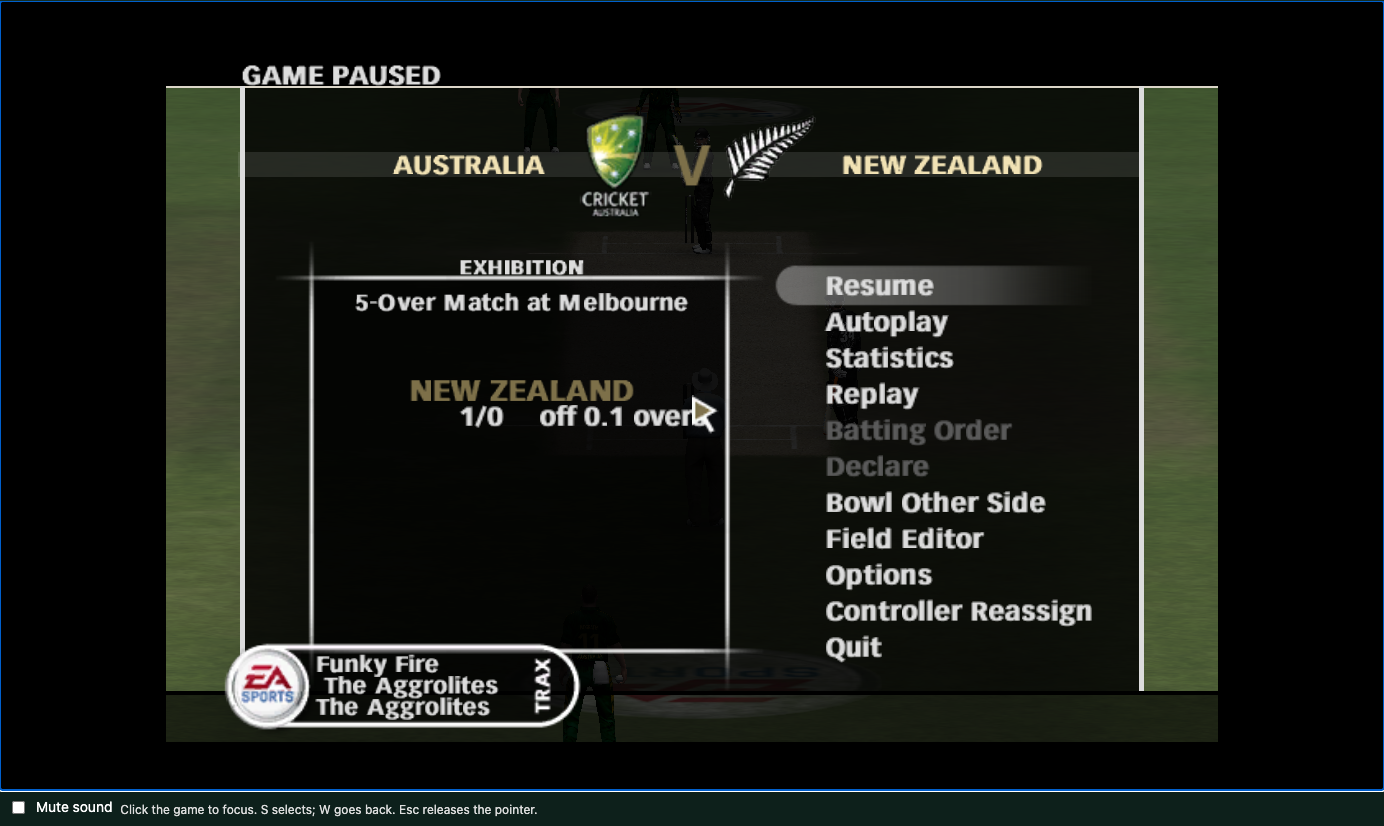
Autoplay can simulate part of an innings in Cricket 07, but it is not available from every pause menu. A grey option and a missing option need different checks. In our desktop Chrome test sessions, exhibition matches offered Autoplay between deliveries; the first England Ashes challenge did not show it.
Scope and dates: reviewed October 31, 2026 for desktop Chrome. The screenshots below are from earlier single-player checks. Exhibition Autoplay was checked again on October 31 in a same-computer, two-Chrome five-over match. We did not repeat the Ashes challenge for this article or certify every mode.
Find Autoplay in an exhibition match
- Start a regular exhibition match through the original game’s Play Now menu.
- Wait until the players are ready for the next delivery. Click the game screen so the keyboard controls have focus.
- Press Esc to pause, use the arrow keys to highlight Autoplay, and press S to select. Esc may first release pointer capture or leave browser fullscreen; if needed, focus the game and press it again.
- Choose To End of Innings if you want the game to simulate the remainder of that innings. Other choices in the tested menu included To Fall of Wicket and 1 over.
At an innings break, follow the native Continue or Resume prompts to start the chase. Autoplay does not replace the website’s Continue playing button: that button launches a game session using the files and saves already in this browser.
If the option is grey
The match may be in the middle of a delivery or an introduction or innings transition. Resume the game and wait until the next delivery is ready, then pause again. In our tests the same exhibition menu could show Autoplay grey during play and enabled between deliveries. Clearing browser storage does not change which phase the match is in.
If there is no Autoplay item
Check the mode shown on the left of the pause menu. In the tested first England Ashes challenge, Pietersen to the Rescue at Lord’s, the menu shows Objectives and Restart Scenario instead. There is no Autoplay entry in that tested challenge; you must play it manually.
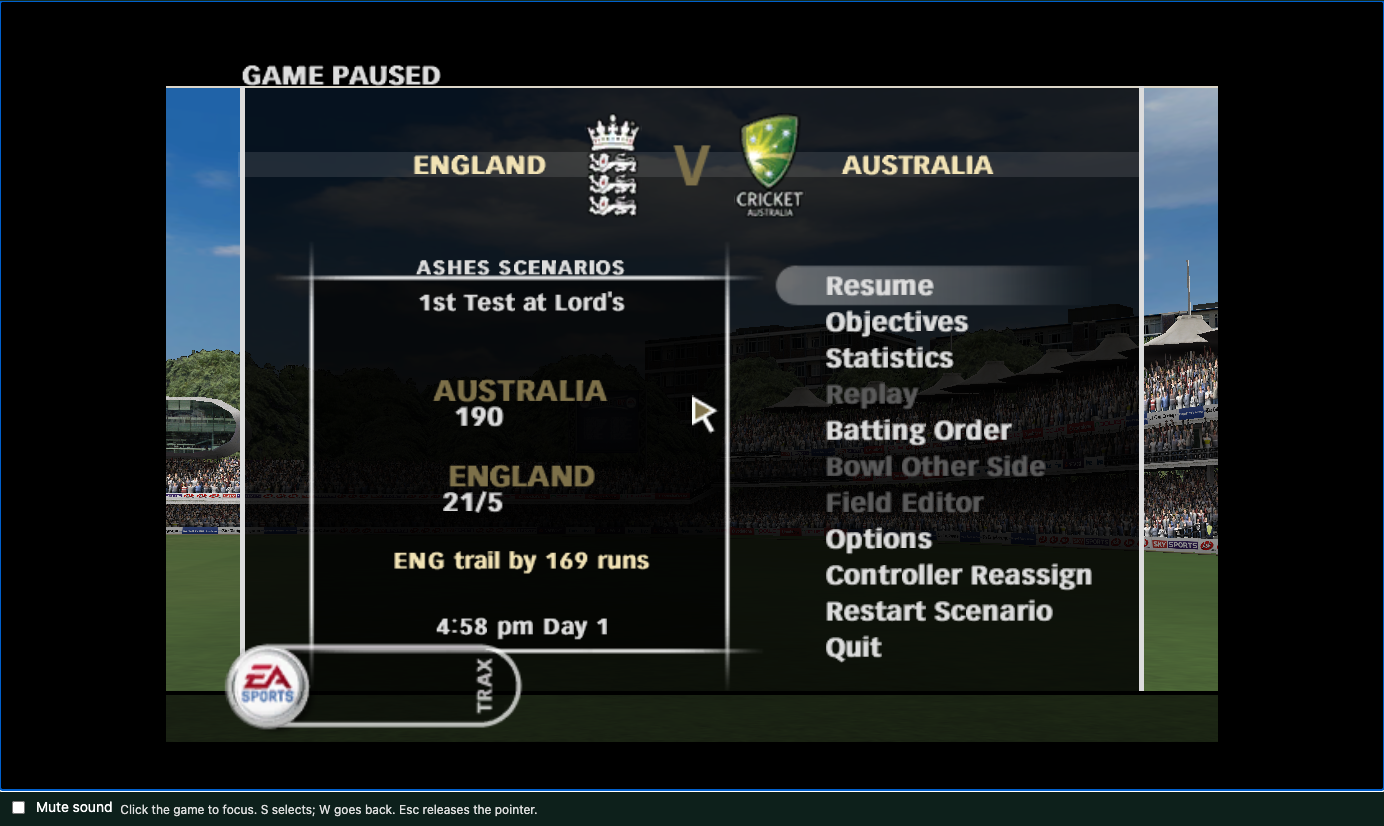
We have not verified every other Ashes challenge, competition or mode. These observations should not be read as a complete list of the original game’s restrictions, or as proof that every missing option is expected. The second Test / second challenge rain scenario remains unverified. New friend rooms are currently paused; the October 31 multiplayer observation does not mean room creation has reopened.
What to send if it is still missing
If you are in an exhibition match and Autoplay is absent after the next delivery is ready, note the teams, mode, browser version and the steps you took. A screenshot of the whole pause menu helps us distinguish an unavailable action from a different mode. Send those details through support; do not attach game files or save backups.
Keep your native saves. Do not reinstall or clear site data just to find a menu item. For the wider setup flow, read the first-match guide; for keyboard focus and pause controls, see controls.